ChatGPT Business Hub: what it is, how to claim your business, and whether it's worth your time
OpenAI's new Business Hub lets you claim your business in ChatGPT, fix your info and see how often you're mentioned. Here's how it works and what it means for contractors.
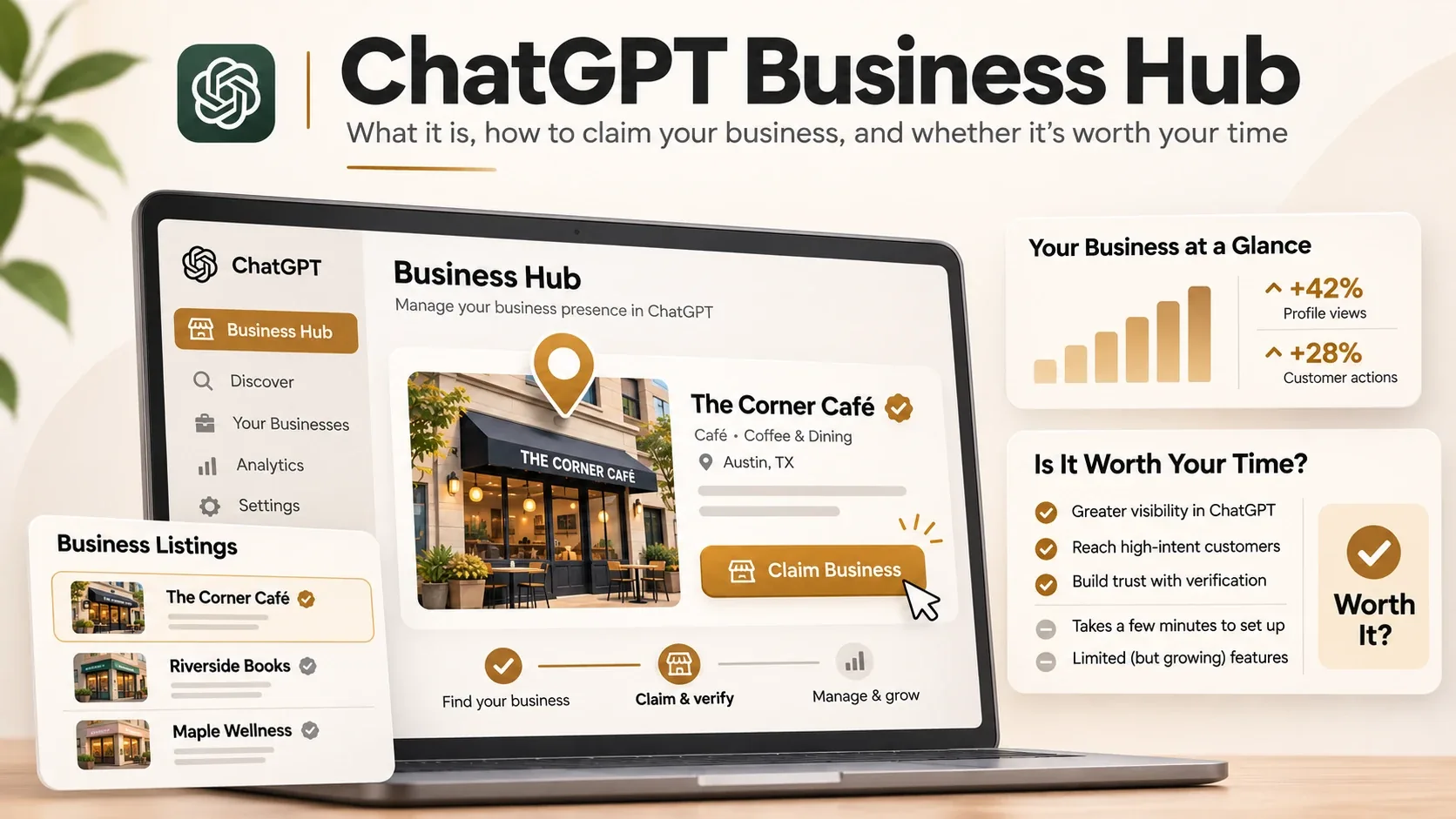
It’s 11 at night. A homeowner’s water heater is leaking all over the garage floor. They don’t open Google. They open ChatGPT and type, “Who can fix a leaking water heater near me tonight?”
What ChatGPT says next could be your phone ringing. Or your competitor’s.
Until this month, you had no say in what it told that homeowner about you. On November 10, 2026, that changed a little. OpenAI launched a beta called Businesses in ChatGPT, and with it a dashboard called Business Hub. It’s where you claim your business, fix what ChatGPT has wrong about you, and see how often it’s been sending people your way.
My honest take, up front: it’s free, it’s worth claiming if you can, and it’s nowhere near as useful as Google Business Profile yet. I went through OpenAI’s announcement, its help pages and the first week of coverage, and wrote this for people who run plumbing, HVAC, roofing and concrete businesses. Not for SEO people.
Why should a contractor care?
OpenAI puts ChatGPT’s weekly users at 1.2 billion. More and more of them use it the way they used to use Google, asking things like “is it worth fixing a 15-year-old AC unit?” or “best roofer in my area,” and then acting on the answer.
The trouble is that ChatGPT has been building its picture of your business from whatever it could find. Your website. Old directory listings. Review sites. If one of those had your hours wrong or listed a phone number you stopped using in 2019, that’s what people got.
Business Hub is the first time OpenAI has handed business owners any control over that.
So what is Business Hub, exactly?
There are three pieces to it.
- Your profile. Once you prove the business is yours, you can change your website link, your description, your category, your logo, your photos and a few policies.
- Insights. Numbers showing how often ChatGPT brought you up and how many people clicked through to your site over the past four weeks, plus the broad subjects those chats were about.
- Business Agents. A chatbot that sits on your profile and answers questions about what you sell. For now, only US online stores and online service companies can have one.
BrightLocal called it “essentially their version of Google Business Profile, with a little Search Console sprinkled in.” That’s a decent way to picture it, with one big difference. With Google Business Profile, the work you put in affects where you rank. With Business Hub, it mostly doesn’t. OpenAI has been upfront that claiming your listing won’t move you up in ChatGPT’s answers, and that ads don’t buy you a better spot in them either.
Think of Business Hub as two things: a way to stop ChatGPT from getting your details wrong, and a peek at how often you come up. It won’t help you rank.
Business Hub vs Google Business Profile
You already know Google Business Profile, so here’s how the two stack up right now:
| ChatGPT Business Hub | Google Business Profile | |
|---|---|---|
| Cost | Free during the beta | Free |
| How you verify | Phone, email, website DNS or Shopify, then a Persona ID check | Usually a video, phone, email or postcard check |
| Affects where you show up | No, according to OpenAI | Yes, it’s a big part of ranking in the map pack |
| Reviews | No review tools in Business Hub | Customers leave reviews and you can reply |
| Service areas | No proper way to list them yet | Yes, you can list the areas you cover |
| Insights | How often you’re mentioned, link clicks and common topics, last 28 days only | Views, searches, calls, direction requests and website clicks |
| Booking | No. Agents can’t take bookings | Booking buttons through supported partners |
| Countries | Local listings: existing US listings only for now | Most countries |
| Multiple locations | Each brand managed separately, no central dashboard | Bulk management for multi-location businesses |
Put simply, Google is still where local customers find you. Business Hub is where you keep ChatGPT honest about you.
How to claim your business
Before you start, have these ready: a ChatGPT login (the free plan is fine), access to your business phone, email or website settings, and a photo ID.
- Log in to ChatGPT. Business Hub is in the left-hand menu, or you can type
chatgpt.com/business-hubinto your browser. - Look yourself up by business name and pick the right listing.
- Choose which ChatGPT account will look after it. Pick one the business owns, not a login that belongs to an employee who might leave next year.
- Prove you’re connected to the business. Depending on your business, OpenAI gives you up to four options:
- Phone. ChatGPT texts or calls your business number with a code.
- Email. A code goes to your business email address.
- Website. You add a short TXT record to your domain settings. If someone else looks after your website or hosting, get it to them right away. These records sometimes take hours to kick in.
- Shopify. You sign in to your store. This one’s mostly for online sellers.
- Wait. OpenAI checks your claim by hand and emails you with a yes, a no, or a question. You can back out while it’s pending.
- Get your ID checked through Persona, the company OpenAI uses for identity checks. Expect to show a photo ID, your business registration paperwork and something proving you have the right to act for the business. The details have to line up with your official records exactly, down to how your business name and address are written, so double-check them before you submit.
Until Persona says yes, most of the useful stuff stays locked. You can’t edit your profile, see your numbers or upload products. The blue check mark next to your name comes from the Persona step too, not from the first claim.
Two things to know before you click anything:
- There’s no undo. If you set up a brand-new profile through Persona, it goes live the moment OpenAI approves it. You won’t get a preview first.
- It can’t be taken down. You can delete a draft, but once a profile is live, it stays live. OpenAI’s support team won’t remove or hide it for you, so check every detail twice before you hit submit.
What if someone beat you to it? Go to the profile, open the menu with the three dots and pick Dispute ownership. You’ll prove who you are through Persona. OpenAI hasn’t explained how it settles fights over ownership, which is one more reason to claim yours before anyone else tries.
What you can change on your profile
Once both checks clear, these are the fields you control:
- Your website link
- The description of your business
- Your category (what kind of business you are)
- Logo and cover photo
- Delivery and return policies (mostly for stores)
- A handful of extra optional details
One catch: saving a change doesn’t publish it. OpenAI looks over every edit first, and it can take a while to show up. And ChatGPT doesn’t treat your profile as the only source of truth. It still reads your website, your Google listing and the big directories. If those say something different from your Business Hub profile, don’t assume ChatGPT will side with you. Make them all match.
What to write in your business description
This is the only place where you get to describe your business in your own words, so make it count. One early review spotted a limit of about 300 characters in OpenAI’s demo, so it needs to be short.
Here’s the kind of description you see all over contractor listings:
We are a family owned business providing quality plumbing services. Customer satisfaction is our top priority. Call us today!
Read it again. What does this company actually do? Where? When can you call them? It doesn’t say. Here’s the same business, rewritten (it’s a made-up company, about 260 characters):
Licensed plumbers serving Tampa, Brandon and Riverview since 2009. We fix leaks, clogged drains and water heaters, and do repiping and bathroom remodels. 24/7 emergency service. Upfront pricing before any work starts.
Why the second one works:
- It names the jobs. “Water heaters” and “repiping” are the words people actually type when they need help.
- It names the towns. Business Hub has no field for service areas yet, so your description is where they go.
- It says when to call. If you answer the phone at 2 a.m., say so.
- It gives one reason to trust you. Licensed, years in business, upfront prices. Pick whichever is true for you.
Skip the slogans and the “best in town” stuff. They eat up your characters and nobody believes them anyway.
If you sell products online, there’s also a way to give ChatGPT your prices and what’s in stock, either from Shopify or with a spreadsheet upload. Most contractors can ignore this part.
The numbers: mentions, clicks and discovery topics
Honestly, this is the bit I’m most curious about. Until a week ago, nobody outside OpenAI had any of this data.
You get the last 28 days, split three ways.
Mentions. These get counted differently depending on what kind of business you are:
- Local businesses (most contractors) get a mention every time ChatGPT shows your location in an answer. It counts even if the person never taps on you.
- Online businesses only get a mention when ChatGPT points to their website. Just saying the company name isn’t enough.
Website clicks. How many times someone tapped a link to your site from inside ChatGPT. OpenAI’s own fine print says clicks “don’t confirm website visits or conversions.” In plain English, a click isn’t a customer. Use it as a rough signal.
Discovery topics. The general subjects of the chats where you came up. For a roofer, that might be something like storm damage or what a new roof costs. You won’t see what anyone actually typed. OpenAI keeps the questions and conversations private, and that includes chats people have with your own agent.
Here’s something that will throw a lot of people: an empty box isn’t a zero. OpenAI only shows numbers once there’s enough activity to keep people anonymous. A blank can also mean the data hasn’t caught up yet. Barry Schwartz from Search Engine Roundtable claimed his site on the first day and still had nothing to look at, while others saw numbers right away. Give it a few weeks before you worry.
What you don’t get, at least not yet:
- The actual questions people asked
- Anything about your competitors
- More than four weeks of history, so jot your numbers down once a month if you want to see a trend
- Anything about Google’s AI answers, Gemini, Perplexity or Claude. It only covers ChatGPT.
How to check ChatGPT traffic in Google Analytics
Business Hub tells you how many people clicked. Your analytics tells you what they did once they landed. You want both. Here’s how to find it in Google Analytics 4:
- Go to Reports → Acquisition → Traffic acquisition.
- Change the main column to Session source / medium.
- Search for chatgpt. Visits from ChatGPT usually show up as
chatgpt.com / referral. ChatGPT also tends to addutm_source=chatgpt.comto the links it shows, which helps them get counted correctly. - Click into it to see which pages people landed on, and whether they called or filled in your form (if you track those as key events).
The two numbers won’t match, and that’s normal. Some people tap a link and leave before your page even loads. Others show up in your analytics as “direct” visits with no source attached, which seems to happen a lot with the ChatGPT phone app. Don’t compare day by day. Check whether both numbers are heading the same way over a few months.
If you just use the stats that come with your website builder, look for chatgpt.com in the list of referrers. Most builders show it.
Business Agents, and why you probably can’t have one yet
A Business Agent is your own chatbot inside ChatGPT. When ChatGPT mentions you, people can open your profile and start a separate chat with it, clearly marked as yours. OpenAI’s example is someone trying to decide between two products and asking which one suits them.
Right now, though, agents are only for US businesses that sell online or offer online services, and they have to pass OpenAI’s industry rules on top of that. Local shops, restaurants and nearly all home-service contractors are left out. OpenAI says more countries and business types are coming. It hasn’t said when.
Even if you qualify, don’t picture a receptionist. The agent can answer questions about your products and policies and point people to your website. That’s about it. It won’t book a job, look up an order or take a payment. So when agents do open up to contractors, they won’t fill your calendar for you. Not in this version.
There’s also a paid side. A business can run ChatGPT ads that send people to its agent. Those are labeled as sponsored and kept apart from ChatGPT’s normal answers.
What it costs
Nothing, for now. There’s no ads account to set up and no big company contract to sign. Claiming, editing, insights and agents are all free during the beta. Larger companies that already work with OpenAI can go through their account manager.
I’d read “free” as “free while it’s in beta.” Benji Shomair, who runs monetization at OpenAI, told Digiday (as reported by LLM Pulse) that charging later is still on the table. Google Business Profile has been free for years, so this might stay free too. Nobody knows yet.
What it means for your plumbing, HVAC or roofing business
Claim it, even though it does less for you than for an online store. Your phone number, hours, services and description are the details ChatGPT is most likely to get wrong, and now you can fix them. That’s worth one afternoon.
You might not be able to add yourself. As a local business, you can only claim a listing OpenAI already has for you, and right now that means US listings. Online businesses can create a new one; local businesses can’t yet. More on both of these below.
There’s nowhere to list your service area. Most contractors drive to the customer, and as far as I can tell there’s no proper way to tell Business Hub which towns you cover. BrightLocal noticed the same gap and expects it to be fixed. Until then, the service-area pages on your website are doing that job.
Several locations means extra work. Every brand is handled on its own, and your branches don’t come along automatically when you claim the parent brand. There’s no single dashboard for a company with five locations.
Get there before someone else does. Barry Schwartz said he’s “honestly nervous about people hijacking businesses on here,” and so am I. Google has spent years fighting fake listings. ChatGPT has been at it for a week. Claiming yours first is the cheapest insurance you’ll ever buy.
Your website still does most of the work. ChatGPT decides what to say about you from what it can read, and your website is the biggest thing it reads. Clear service pages, real job photos, honest pricing info and a site that loads fast are still what get you mentioned.
If your business isn’t in Business Hub yet
I expect this to be the most common story for trade businesses. You type in your company name, nothing comes up, and because you’re a local business there’s no button to add yourself.
That doesn’t mean ChatGPT has never heard of you. It means OpenAI hasn’t set up a listing you can claim. ChatGPT still answers questions about local businesses in the meantime, using other sources. OpenAI hasn’t said exactly which ones, but here’s what’s been reported:
- Yelp. Yelp has a licensing deal with OpenAI that reportedly covers millions of business listings and their reviews. Of everything on this list, it’s the most clearly documented.
- Bing. ChatGPT’s web search leans on Bing, but nobody agrees on how much your Bing Places profile matters. Local Falcon calls it one of the biggest sources. A Search Engine Land test found ChatGPT couldn’t see the profile itself, only the web results it shaped.
- Map data providers. Several SEO tool companies say ChatGPT’s map results come from Mapbox or Foursquare. OpenAI hasn’t confirmed it.
- Your own website and other directories. Anything ChatGPT can read and quote.
Google is the big question mark. Some SEO companies say ChatGPT uses Google’s business data. Others say it doesn’t. I wouldn’t bet on either.
So while you wait, fix the places ChatGPT is most likely reading. Claim your Yelp page and clean it up. Set up Bing Places (you can pull your details straight in from Google Business Profile, so it’s quick). Make sure your name, address, phone number and hours are the same everywhere. Then check Business Hub again every few weeks.
If you’re outside the US
A lot of the contractors I work with aren’t in the US, so I dug into this one. On paper, any country where ChatGPT works is fair game, but OpenAI’s help page adds that what you can do depends on where you are and what kind of business you run.
Here’s how that plays out today:
- Local businesses, which is most contractors, can only claim existing US listings. If you’re a roofer in Manchester or an HVAC company in Toronto, there’s probably nothing for you to claim yet.
- Online businesses have more options, since they can create a new profile if verification works in their country.
- Business Agents are US only, with no date for anywhere else.
I’ve seen secondhand reports of non-US claims landing on a waitlist on launch day, but I couldn’t confirm them, so take that with a pinch of salt.
My advice? Try it anyway. Searching for your business takes two minutes. If nothing comes up, do the listings cleanup from the section above, which helps wherever you are, and check back when OpenAI rolls out its next update.
What I’d do this week
- Claim your business at
chatgpt.com/business-hubwith an account the company owns. - Get your ID and business registration papers together before you start the Persona check, and make sure every detail matches your official records.
- Fill in every field you can, especially the description and category. Write it the way you’d explain your business to a homeowner on the phone.
- Check that your website, Google Business Profile, Yelp, Bing Places and other listings all show the same name, address, phone and hours as your Business Hub profile. If you couldn’t claim a Business Hub listing, do this anyway.
- Write down your mentions and clicks once a month, since you only get four weeks of history.
- Compare clicks with the chatgpt.com traffic in your analytics.
- If an agency helps you, have the person who claimed the listing add them from inside Business Hub. Don’t forward them your claim email.
FAQ
Is ChatGPT Business Hub free?
For now, yes. Claiming your listing, editing it, reading the insights and setting up an agent all cost nothing during the beta, and there’s no ads account to open. OpenAI has said it might charge later, so that could change.
Does claiming my business help me show up more in ChatGPT?
Not directly. Claiming gives you control over the details you provide, but OpenAI is clear that it won’t push you higher in answers, and paying for ads doesn’t change the regular answers either.
Can I see what people asked ChatGPT about my business?
No. You see broad topics, like the kinds of jobs people were asking about, but never the actual questions or chats.
Can a Business Agent book appointments for me?
Not yet. An agent can answer questions about what you sell and your policies, then send people to your website. It can’t book a job, look up an order or take a payment. It’s also limited to US online stores and online service businesses for now.
Can I delete my ChatGPT business profile?
Only before it goes live. A draft can be deleted, but a published profile stays up, and OpenAI’s support team won’t take it down for you.
Why can’t I find my business in ChatGPT Business Hub?
If you’re a local business, you can only claim a listing that OpenAI already has for you, and right now that means US listings. There’s no way to add a new local listing yourself yet. Make sure your Yelp, Bing Places and other listings are right in the meantime, then check again in a few weeks.
Is ChatGPT Business Hub available outside the US?
In part. OpenAI says it’s open wherever ChatGPT works, but what you can do depends on your country and type of business. Local businesses are limited to existing US listings at the moment, and Business Agents are US only.
Final thoughts
Will Business Hub change how you get work this year? Probably not. It’s a beta, the numbers are thin, and the most interesting feature, agents, isn’t open to trade businesses. But it’s the first time ChatGPT has let owners fix their own information, and I’d rather be early than late on that. Picture finding out next year that someone else claimed your listing and has been telling ChatGPT your old phone number. Claiming it now saves you that headache.
If you’d like a hand getting your listings, your website and your local SEO all saying the same thing, book a free strategy call. We’ll go through it together.
Sources
- OpenAI, Introducing Businesses in ChatGPT (November 10, 2026)
- OpenAI Help Center, Setting up your business on ChatGPT
- BrightLocal, ChatGPT launches Business Hub
- Search Engine Roundtable, Businesses in ChatGPT Now Live - Business Hub
- LLM Pulse, ChatGPT Business Hub: How to Claim Your Business
- AIN, OpenAI launches Business Hub in ChatGPT
- Local Falcon, Where does ChatGPT get local business info?
- Search Engine Land, How does ChatGPT conduct local searches?
- SEO Sherpa, Yelp partners with ChatGPT to license business information